
Barracuda Cloud-to-Cloud Backup
Complete threat protection for all size business
Microsoft recommends that you use third-party backup for your Microsoft 365 data.
Barracuda Cloud-to-Cloud Backup offers secure backups, highly granular restore capabilities, and unmatched ease of use.

Flexible, easy-to-use Microsoft 365 protection
Back up your Microsoft 365 Teams, Groups, Exchange, SharePoint, OneDrive, and OneNote, as well as Entra ID data, and find and recover the exact data you want quickly and easily with advanced search.Ransomware protection
Your final defense against ransomware and other cyberthreats is your backup, so you need a secure backup that offers role-based access control, encryption, and multiple copies of the data. Malware detection on restore provides additional protection.Cloud native
Your Microsoft 365 data is already in the cloud — saving secure, encrypted backups in the same network means better performance and instant scalability.
Flexible, easy-to-use Microsoft 365 protection
Barracuda Cloud-to-Cloud Backup gives you the flexibility to restore Microsoft 365 Teams, Groups, Exchange, SharePoint, OneDrive, OneNote, and Entra ID data with highly granular detail. Barracuda Cloud-to-Cloud Backup offers complete, granular protection of your data with point-in-time retrieval, and both scheduled and on-demand backup. Full SharePoint support means you can backup and restore everything in SharePoint including different site templates, custom lists, permissions, and metadata — eliminating much of the labor and expense associated with restoring files only. You can restore SharePoint libraries, lists, and documents to any SharePoint sites you choose. Backing up and restoring has never been easier. Entra ID Backup is included when you license Cloud-to-Cloud Backup for Microsoft 365, so you can protect the critical data that controls access to internal and external resources including applications. Entra ID is at risk from attackers, and Microsoft recommends that you back it up — Microsoft only saves the data for 30 days.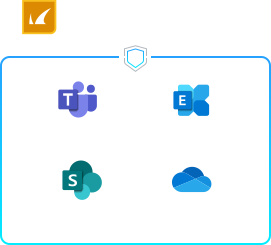

Effective ransomware protection
Your backup is your best chance to recover after a ransomware attack, so it’s crucial to have a good backup of all your important data – including SaaS data in Microsoft 365. Microsoft offers features, including the recycle bin, but it is not meant to be used as a backup and recovery solution. That’s why Microsoft recommends using a third-party backup for Microsoft 365, such as Barracuda Cloud-to-Cloud Backup. Barracuda Cloud-to-Cloud Backup not only makes it easy to find and restore the data you want; it also offers important features, including immutable storage, to protect the data against modification or removal, except through the secure Barracuda Cloud-to-Cloud Backup interface. Your data is further protected by security features, including Multi-Factor Authentication (MFA), 5 levels of role-based access control that determine who can do what, and end-to-end encryption. Malware detection on restore provides additional protection as it scans data before it is restored to production systems. It’s important that malware is detected before it is restored because even if you’re using native detection from Microsoft and Barracuda Email Protection, malware may have been backed up before it was a known issue. This way, Cloud-to-Cloud Backup can stop the newly discovered malware from being restored, someone interacting with it and triggering a ransomware attack or other threat. Malware detection uses Barracuda Advanced Threat Protection (ATP) to scan the data, looking for malware so that it can prevent it from being restored along with good data. Barracuda’s ATP is powered by Barracuda’s Global Threat Intelligence that incorporates millions of data points and analysis for the best protection. If you ever need help, Barracuda’s award-winning 24/7 technical support is just a phone call away.
Cloud native
Cloud-to-Cloud Backup lives entirely in the cloud, so there’s no software or hardware for you to manage or update. Because your Microsoft 365 data is already in the cloud, retaining your encrypted backup files in the network means better performance and instant scalability — it just makes sense. Multiple external copies of your backup files ensure redundancy and security. And you can sign up and start running your first backup in just five minutes.
Barracuda's award-winning technology
Barracuda Cloud-to-Cloud Backup has been recognized as a Leader in multiple categories by G2.



Frequently Asked Questions
What is Barracuda Cloud-to-Cloud Backup?
Barracuda Cloud-to-Cloud Backup is a software-as-a-service (SaaS) backup solution. As a SaaS solution, Barracuda manages the backup infrastructure, while you have full control over which region the data is stored, what data is getting backed up and control over the recovery of the data. Barracuda Cloud-to-Cloud Backup is accessed through Barracuda Cloud Control, a cloud-based service that makes it easy to configure and monitor Barracuda products and services from a single console.How does Barracuda Cloud-to-Cloud Backup work?
Barracuda Cloud-to-Cloud Backup links with your Microsoft 365 account, performing regular backups of your data and securely maintaining multiple copies in a dedicated storage account at a location you select, ensuring you can retrieve the necessary data whenever required.Is Barracuda Cloud-to-Cloud Backup secure?
Yes, Barracuda Cloud-to-Cloud Backup provides many capabilities to help secure your data, prevent attackers from gaining access to your backups and protect your backup data from ransomware. These capabilities include immutable backup copies, multi-factor authentication, role-based control, and end-to-end encryption. The backup data also lives in an air-gapped location, isolated and decoupled from the Microsoft 365 infrastructure.What data does Barracuda Cloud-to-Cloud Backup protect?
Use it to protect your Exchange Online, SharePoint Online, Teams, OneDrive and OneNote. Barracuda Entra ID Backup is included at no additional charge with Barracuda Cloud-to-Cloud Backup. There are two versions of Barracuda Entra ID Backup. The version included with Barracuda Cloud-to-Cloud backup for M365 backs up your user, group, role, and administrative unit data. The premium version backs up your user, group, role, administrative unit, app registrations, audit logs, authentication method policies, authentication strength policies, BitLocker keys, conditional access policies, device management, enterprise applications, and named locations data. Barracuda Entra ID Backup Premium is a standalone license only.Can Barracuda Cloud-to-Cloud Backup for Entra ID be purchased standalone?
Yes. Barracuda Entra ID Backup is included in your Barracuda Cloud-to-Cloud Backup license, or it can be purchased as a standalone offering. Entra ID Backup Premium is available as a standalone license. Microsoft 365 and Entra ID are protected by Barracuda Cloud-to-Cloud Backup and accessed through the same cloud-based interface.Where is my Barracuda Cloud-to-Cloud Backup data stored?
Your Microsoft 365 and Entra ID backup data resides in the Microsoft Azure region of your choice. We have 13 regions around the world to choose from to meet your data residency needs.How is Barracuda Cloud-to-Cloud Backup licensed?
Barracuda Cloud-to-Cloud Backup is licensed on a per-user basis. For Barracuda Entra ID Backup, all member users in the tenant must be licensed.How much storage does Barracuda Cloud-to-Cloud Backup provide?
Barracuda Cloud-to-Cloud Backup includes unlimited storage. You are free to back up and protect an unlimited amount of data in Barracuda Cloud Storage.Does Barracuda Cloud-to-Cloud Backup include Barracuda Entra ID Backup?
Yes, as long as Barracuda Cloud-to-Cloud Backup is actively licensed to backup Microsoft 365, Barracuda Entra ID Backup is included at no additional charge. Barracuda Entra ID Backup Premium is available as a standalone product.How long can I retain my backup data?
Barracuda Cloud-to-Cloud Backup includes unlimited data retention. Unlimited retention means you can retain the data as long as you would like.What happens when a user leaves the organization?
Barracuda Cloud-to-Cloud Backup will retain the users previously backed up Microsoft 365 and Entra ID data as long as you want, at no additional charge.How can I retrieve backed-up data from users who left the organization?
You can restore a former user’s backed-up Microsoft 365 or Entra ID data to the original location, or to an alternate location for Microsoft 365 data. Even after the account is purged from Microsoft 365 or Entra ID, you retain access to important data.