
Fastvue Reporter for Barracuda
Simple internet and network usage reporting for Barracuda Networks firewalls
The Barracuda Networks reporting solution you have been looking for
Get comprehensive protection for on-premises and multi-cloud deployment using the firewall built in and for the cloud.
Built for Barracuda firewalls
Fastvue Reporter for Barracuda is a complete, end-to-end reporting solution designed for Barracuda Networks firewalls including Barracuda Cloud Gen, NG, and Web Security Gateway.
Detect internet and network issues
Simple pre-built alerts, reports, and dashboards highlight internet and network usage issues straight out of the box.
Alert the right people
Gain immediate visibility for HR, department managers, or student welfare and safeguarding staff. Deliver eye-opening insights for the IT team.
Fastvue Reporter is perfect for
Education
Monitor your school's internet usage for students accessing self-harm, extremist or inappropriate online content.
Learn moreBusiness
Detect insider threats and increase workplace productivity with automated, management-friendly internet usage monitoring, reports, and alerts.
Learn morePublic Sector
Protect libraries and public spaces, support employee well-being and productivity, and enhance security compliance.
Learn moreIT
Reduce troubleshooting time and get superior insights into bandwidth, security, and firewall policy issues.
Learn more
Reports
Choose from simple internet usage reports, IT network and security reports, user overview reports, or activity timeline reports. All reports can be filtered, scheduled, shared, and exported.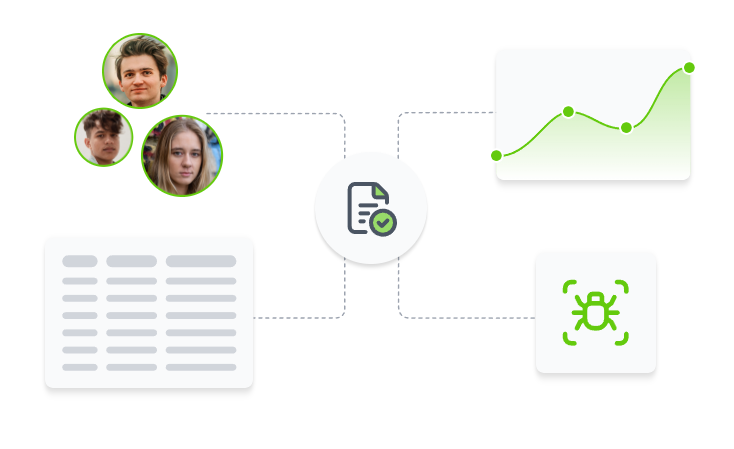
Alerts
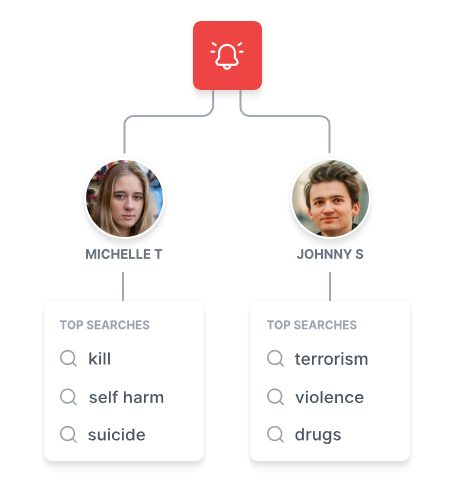
Instantly detect users searching for self-harm, inappropriate, or extremist topics; large downloads or uploads, network threats, and more, and notify the people that need to know.
Site Clean
Fastvue's unique Site Clean technology lets you see exactly what websites are being browsed, without advertising, ugly content delivery networks, or other unnecessary noise cluttering the reports.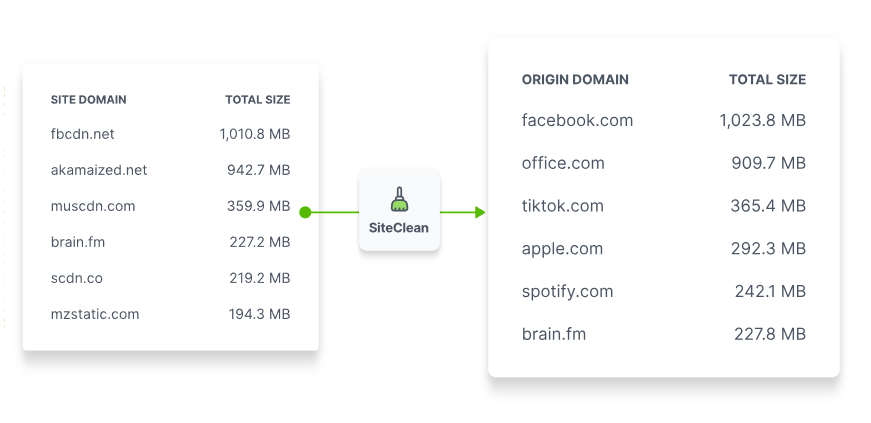

Dashboards
See what’s happening on your network right now. Real-time dashboards focus on the trifecta of network concerns: bandwidth, productivity, and security.
Keywords
Fastvue's extensive, customisable, and continuously updated keyword database flags suspicious activity related to suicide and self-harm, extremism and radicalisation, racism, drugs, pornography, and profanity, without the false positives.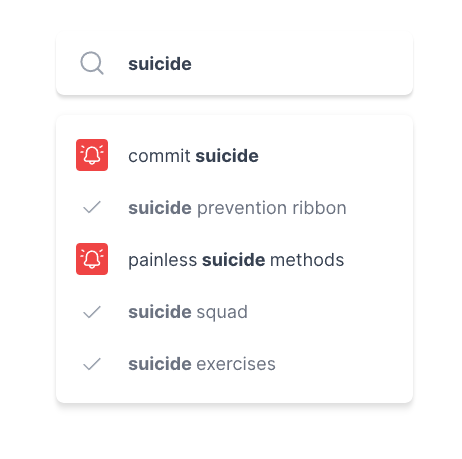
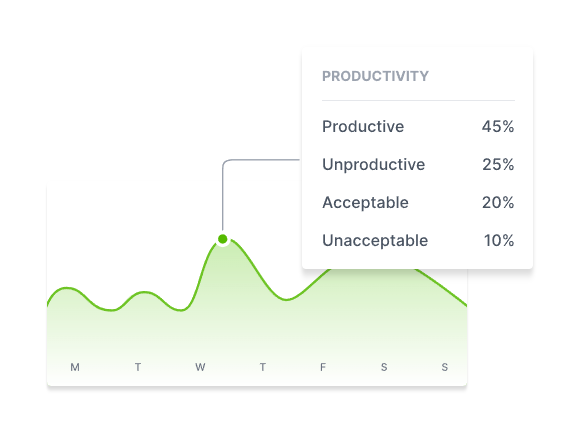
Productivity
Productive vs. unproductive. Acceptable vs. unacceptable. Create tailored guidelines that assess your users’ browsing, so you can discover risky online behavior, identify lost productivity, or reward good digital citizenship.Trusted by thousands of organisations


"We use Fastvue Reporter for reporting company-specific information to our clients (we are an MSP) in a scheduled and controllable manner so that they can better monitor staff usage. The ability to segregate information on a per-company basis is very simple and easy to configure. "
Steve Griffiths
Senior Infrastructure Engineer, Strategic Group

"Fastvue Reporter is able to intelligently interpret the firewall's log files and extract detailed user activity on the web, during any particular timeframe. This produces clear reports that can be sent to safeguarding officers in real-time or on a schedule. "
Paul Wilmore
Director of Technical services, Stonyhurst College

"The best part for me is that once I set up the reports and who they go to, I am out of the loop totally. The department manager can parse through the report, run more detailed reports, and take action without involving me at all as a net admin. Site Clean made it even easier for the managers to understand (How do you explain what a CDN is to the accounting manager?)."
Andrew ReynoldsNetwork Administrator, Frasca Flight Simulation
Compare Barracuda Networks reporting options
Barracuda Reporting Server
- Designed for network and security administrators.
- Only focuses on security, bandwidth, and performance metrics.
- Very basic information on internet usage (top domains, users, and categories).
Fastvue Reporter for Barracuda
- Provides meaningful insights into internet activity with Fastvue Site Clean, search term extraction, video enrichment, keyword detection, and productivity assessments.
- Easy for both non-technical staff as well as network and security administrators to understand.
- Detailed activity timeline reports with full forensic details.
- Get real-time alerts for any type of traffic or network issue.
- Integrates with Entra ID & Active Directory for Department/Group reporting.
- Simple to set up and use.
All the features for a safer internet and productive network
Reports
User reportsDepartment reports
Student safeguarding reports
Allowed/Blocked websites reports
Activity timeline reports
Internet searches reports
YouTube videos reports
Online productivity reports
Firewall policy reports
Security & threat reports
Network bandwidth reports
Subnet reports
Dashboards
Live bandwidth dashboardLive productivity dashboard
Live security dashboard
Sharing
Simple report schedulingPrivate report sharing
Send internet usage reports to managers
Send safeguarding reports to child welfare staff
Send security reports to IT teams
Alerts
Fully customisable alerts sent by emailSafeguarding alerts
Large download alerts
Malware and threat alerts
Unproductive browsing alerts
Other
Active directory integrationSimple installation & setup
Auto-updated keyword lists
Customisable data retention policy
Advanced filtering
Export to CSV & PDF
Technical FAQs
How do I install Fastvue Reporter?
Fastvue Reporter is available as Windows Server software or as a Linux-based Docker image. You can self-host the software on-premises, or in your own private cloud or data center.
For Windows, simply run the Windows installer. A Linux setup is a little more 'techie' but still relatively simple if you're familiar with running Docker images.
We recommend deploying the software on a Virtual Machine so that you can scale the CPU and RAM resources as required.
Check out our installation guides for a comprehensive rundown.
As Fastvue Reporter is self-hosted, Fastvue never sees your confidential internet or network traffic log data, and doesn’t impose expensive SaaS data storage costs. It’s a better, more cost-effective way to get safer internet.
What are the RAM and CPU requirements?
The CPU and RAM requirements vary based on the amount of log file data you’re importing, the number of reports being generated, and the alerts you’ve configured.Here are some rough guidelines based on the number of people in your network:
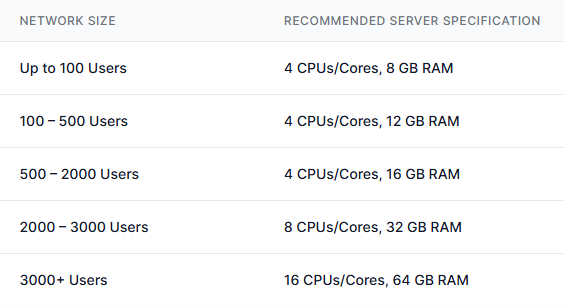 This is a rough guide only, and we recommend installing on a Virtual Machine so you can scale these resources up or down as required.
What are the data storage requirements?
Recommended disk space
Every organisation is different, and it only takes a particularly chatty application to drastically change the log data generated between two similarly sized networks.Fastvue Reporter's default data retention policy is 90 days, or 90% of the available drive space at the time of installation, whichever comes first.
When setting up a new server, as a very rough rule of thumb, allocate enough disk space to store 15 MB per user per day, and use an environment where this disk can be easily adjusted in the future.
Install the free 14-day trial and let the software run for a few days. Then head to Settings - Data Storage. Here you will see how much data has been imported per day, along with a Daily Average figure.
Go to Settings - Data Storage - Settings and try increasing the number of days from the default 90, to the number of days you want to store. You'll notice the estimate underneath the edit box changes to show you the amount of hard drive space you need to allow for based on the Daily Average seen so far.
Likewise, you can change the Size policy to see the number of days the set amount of hard drive space will accommodate.
Use SSDs if possible
Fastvue Reporter uses Elasticsearch as its database. This is I/O intensive and has considerable performance benefits when running on SSD disks. Fastvue recommends SSD disks to avoid performance-related issues, especially when monitoring medium to large networks.We don't advise installing to a network drive due to latency issues affecting the stability of our very frequent read-write operations.
Don't install to a mapped network drive, or use a mapped network drive as Fastvue Reporter's data path, as the assigned drive letters won't exist in the system context – only the user context. If you must use a network drive, specify a UNC path such as \servername-or-ip\fastvue. But keep in mind the performance issues mentioned above, and you'll have to configure 'full' permissions for the Fastvue Server's local system account.