SwivelSecure AuthControl Sentry
Protecting identities with intelligent authentication
AuthControl Sentry® Multi-Factor Authentication
Multi-factor authentication solutions for your business
Deployed in over 54 countries and implemented across enterprises including finance, government, healthcare, education, and manufacturing, AuthControl Sentry® provides organisations with proper multi-factor authentication (MFA). It delivers an intelligent solution to prevent unauthorised access to applications and data. AuthControl Sentry® has the flexibility to support a range of architectural requirements and the ability to ensure maximum adoption, thanks to its variety of authentication factors.
What makes it different?
- PINsafe® technology for ultimate security
- Supports on-premise and cloud for changeable architecture
- A single tenancy and single-tiered cloud solution ensures optimised customisation
- Risk-based authentication and single sign-on as standard
- Integrates seamlessly with hundreds of applications
- Provides maximum adoption with an extensive range of authenticators
AuthControl Sentry® Standard Features
Single sign-on
Single sign-on (SSO) functionality for AuthControl Sentry® provides users with the ability to access all of their applications with a single authentication process. This ensures users can work efficiently without compromising security.
Learn moreRisk-based authentication
Risk-based authentication (RBA) is a dynamic feature of AuthControl Sentry®. Based on parameters set in the policy engine, RBA will request the appropriate level of authentication to access applications based on the users, their devices and the application.
Learn moreUser Portal
The User Portal is designed to provide administrators with a configurable solution to allow users autonomy for basic self-administration tasks. The User Portal gives users direct access to execute regular requirements such as changing or resetting a PIN, or provisioning the mobile app.
Learn more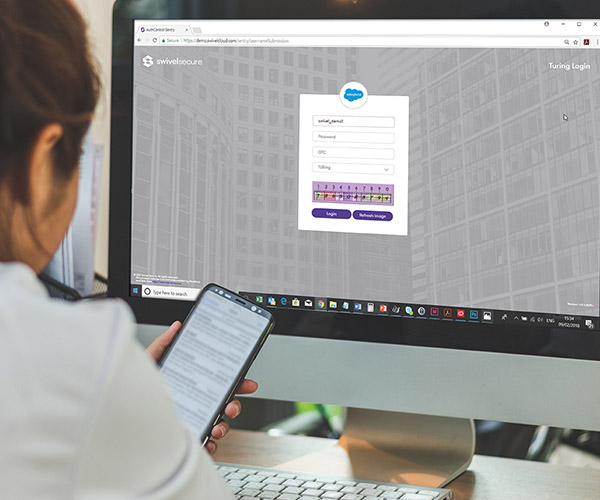
PINsafe® patented technology
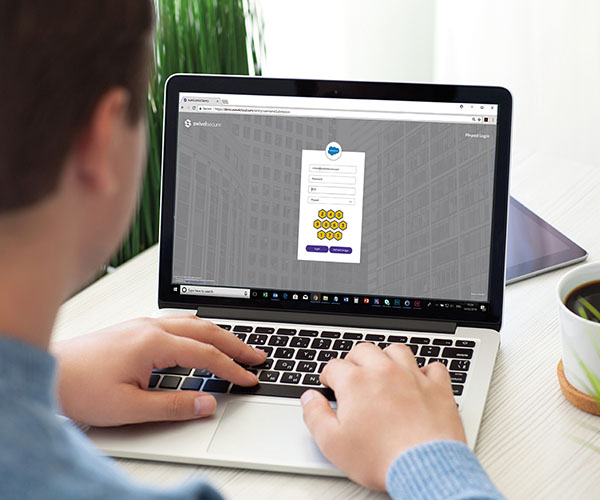
PINsafe® is the patented technology behind the image authentication factors PINpad®, PICpad and TURing, part of the range of authentication factors available with AuthControl Sentry®, the multi-factor authentication solution designed to protect organisations from unauthorised access to their applications, networks, and data.
Learn moreMulti-factor authentication architecture
There are no restrictions with AuthControl Sentry®, designed to authenticate access to applications hosted in the cloud or on-premise and whether the user is a customer, an employee, or a supplier requesting access. Deploy AuthControl Sentry to authenticate a range of stakeholders or use it to authenticate user access to particular applications such as Office 365 or Palo Alto appliances.

On-premise architecture
Active Directory integration -
Access internal systems via our Active Directory
Agent, a locally installed software application that
removes the need to share your Active Directory
across the Internet, whilst maintaining user account
synchronisation.
Comprehensive administration - With
our expert team maintaining the infrastructure, the
only thing left for you to manage are the
integrations, policies and users. All administration
is completed via our simple-to-use, comprehensive
graphical user interface.
Single sign-on (SSO) - To make life
easy and simplify administration, AuthControl
Sentry® provides a seamless and unified approach to
authentication. All authentication requests can be
routed and controlled via our single sign-on page,
based on the risk policies you define.
Cloud based architecture
A fixed IP - Each AuthControl
Sentry® customer receives a dedicated fixed IP for
their own virtual instance. There is no shared
resource, no shared application programming
interface, and no shared entry portal.
A dedicated offering - AuthControl
Cloud gives you a dedicated virtual machine. There
are no shared multi-tenanted options, so you can
expect total management and control which means you
have the flexibility to configure the solution to
meet with your exacting needs.
A private firewall - We offer
dedicated and independent firewalls for each
customer, allowing tailored security and access
control lists.
Authentication factors
Swivel Secure provides an extensive range of
authentication factors to ensure each deployment
provides maximum adoption across your whole
organisation. Whether you choose to authenticate by
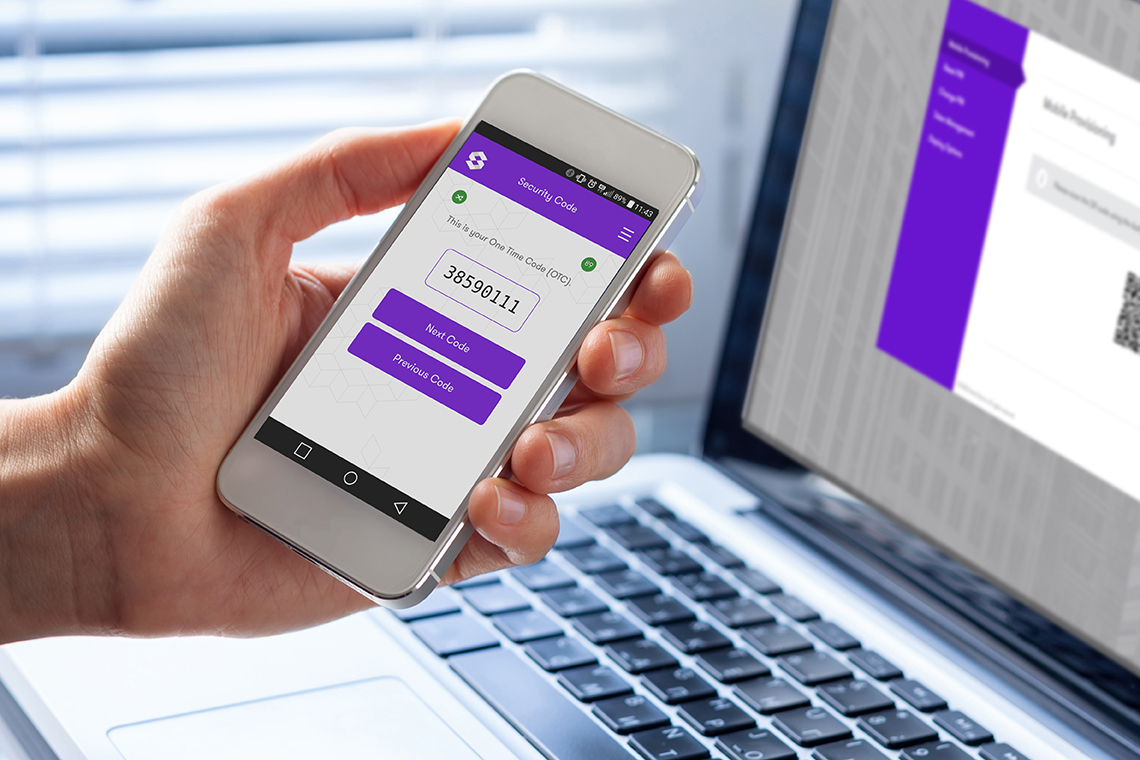
utilising the One Time Code on the mobile app
(AuthControl Mobile®), a traditional hardware token
or even by using your fingerprint, Swivel Secure's
AuthControl Sentry® provides ultimate security and
configurability to suit your business’ security
needs. A user is only granted access after
successfully presenting two (2FA) or more (MFA)
pieces of evidence (factors), proving their identity
to an authentication mechanism:
The definition of MFA is based on three principles
or factors:
- Knowledge (Something only the user knows)
- Possession (Something only the user has)
- Inherence (Something only the user is)
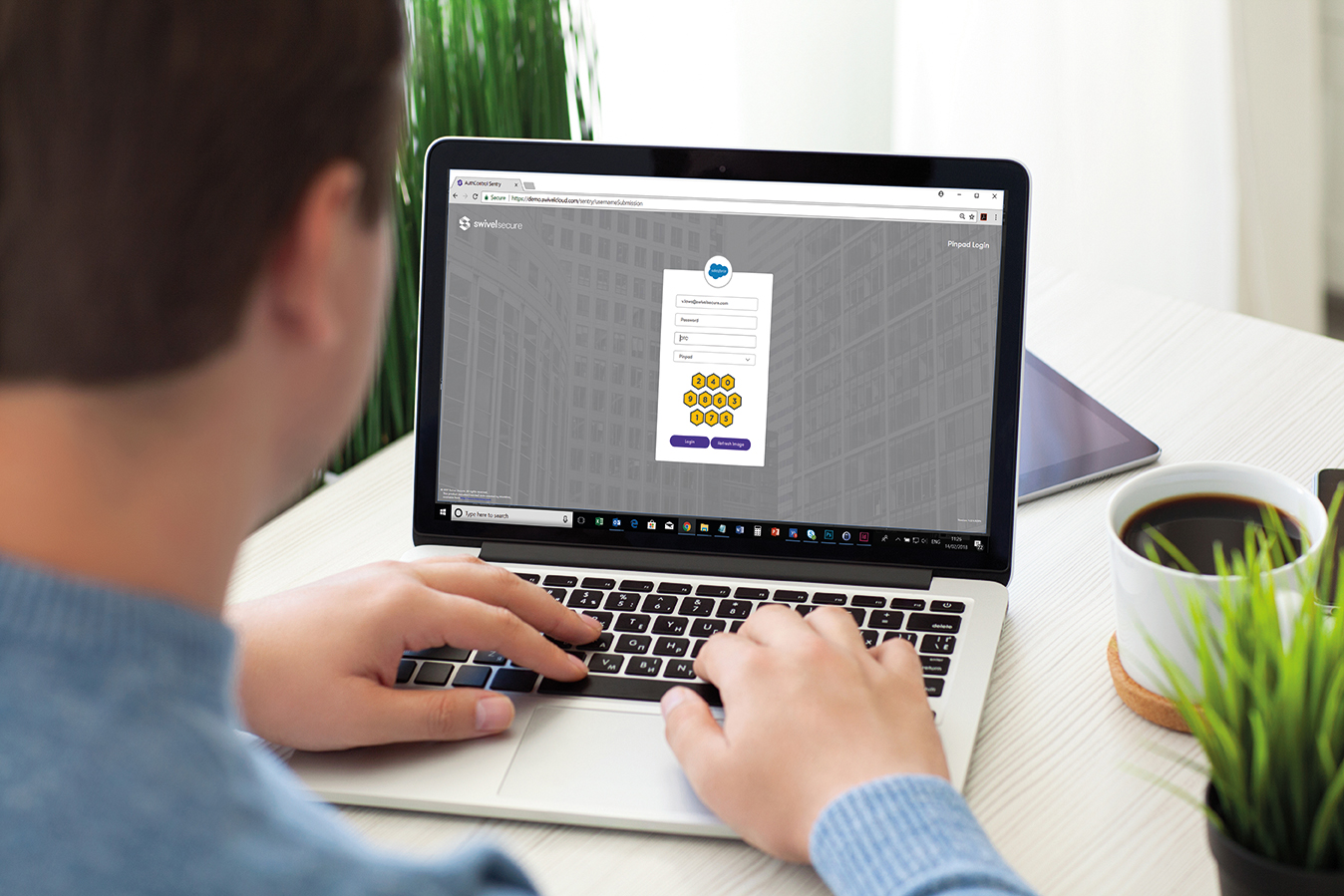
Image authenticators
TURing, PINpad® technology. Whether you are accessing an application internally, or through a VPN or VDI, our range of image authenticators provide a visual representation of the PINsafe® protocol for ultimate security.

AuthControl Mobile
is one of the most popular ways for organisations to authenticate access to applications because it utilises stakeholders’ existing mobile phones, meaning there are no additional costs to the business. There is a range of mobile authenticators to choose from including the PUSH notification, the one-time code (OTC) option, and OATH within the mobile app, which operates in a similar way to the traditional hardware token.

Biometrics authenticators
Utilising one of the latest authentication factors - biometrics - users can authenticate using their fingerprint. Streamlining user logins, fingerprint authentication can be implemented by either using the NITGEN fingerprint access controller or by using an HP, Dell and Lenovo computer with fingerprint functionality.
Hardware token
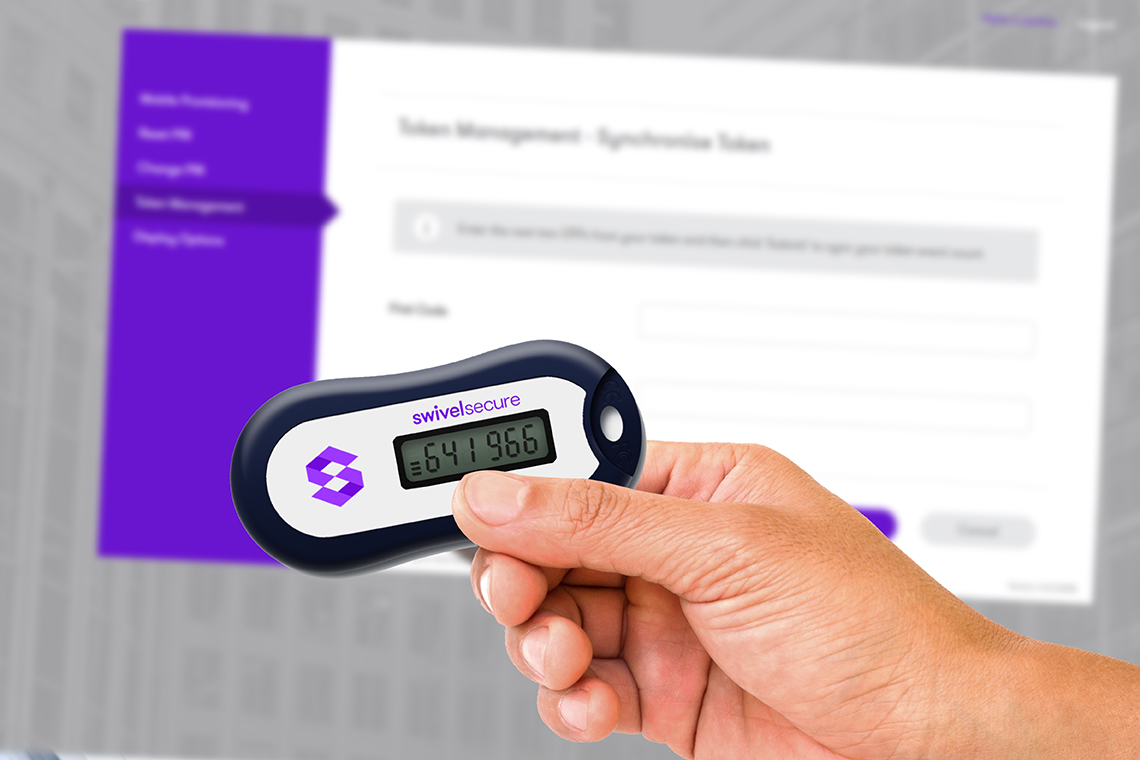
The traditional way of utilising the hardware token to authenticate access to an application through a VPN is still an option with AuthControl Sentry®. This reliable way of authenticating is still a requirement for organisations that do not allow mobile phones on site.

AuthControl Voice
AuthControl Voice provides users with an extensive range of methods to authenticate including Voice. Providing auditory functionality for PUSH and one-time code (OTC), Voice enables users to authenticate when the use of mobile or a physical token may not be permitted.
AuthControl Sentry® integrates with hundreds of applications, including:




















.webp)






PINsafe® patented technology
PINsafe® is the patented technology behind the image authentication factors PINpad®, PICpad, and TURing. PINpad®, PICpad, and TURing are part of a range of authentication factors available with AuthControl Sentry®, the multi-factor authentication solution designed to protect organisations from unauthorised access to their applications, networks and data.hanks to its variety of authentication factors.
How does PINsafe® work?
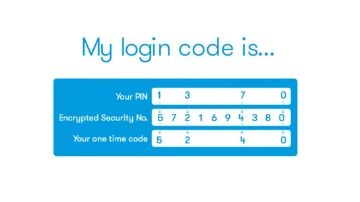
Each user is issued a PIN number – however, this
exact PIN is never typed in.
When a user needs to securely authenticate,
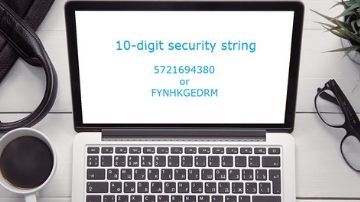
they’re sent a 10-digit security string – a
random sequence of characters or numbers. The
security string can be displayed as a graphic
(TURing, PINpad® or PICpad) or sent via email or
through SMS verification.
By using the PIN as a positional indicator, a
one-time code for authentication can be
extracted.
Can you show me an example?
The example above shows your PIN is 1370. On
this occasion the security string is 5721694380,
so your login code is 5240.
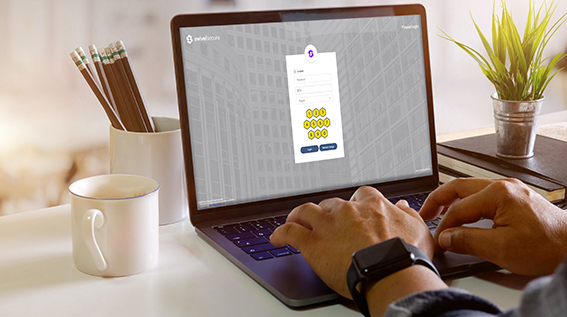
The security string can be integrated with many
devices and applications, in a variety of ways
for complete flexibility. Including:
- Logging into Windows
- Remote access with F5, Citrix Netscaler and
Cisco VPN
- Web access with OWA, Apache, and Microsoft ILS
Authentication factors
Swivel Secure provides an extensive range of
authentication factors to ensure each deployment
provides maximum adoption across your whole
organisation.
Whether you choose to authenticate by utilising
the OTC on the mobile app, a traditional
hardware token or even using your fingerprint,
Swivel Secure’s AuthControl Sentry® provides
ultimate security and configurability to suit
your business’ security needs.
Single sign-on
Single sign-on functionality for AuthControl Sentry® is a feature providing users with the ability to access all of their applications, with a single authentication process.

Simpler usability
Single sign-on (SSO) is designed to increase efficiency by allowing users to access all of their applications with a single successful authentication, through the risk-based policy engine. Whether users are accessing applications through a VPN, on-premise, or cloud, they will automatically be directed to authenticate using the single sign-on functionality within the Unified Portal.
Continuous security
Swivel Secure provides a unified portal to deliver frictionless access for your users. By using this single point of access, users’ privileges can be managed and behaviour can be tracked for auditing purposes, enhancing security and providing accountability.

Cost effective
Significant savings can be achieved by utilising
SSO, as the necessity for password-related calls
to IT support desks are eradicated. Productivity
increases, where users are logging into one
point to access all of their applications –
saving time.
The cost of training is also minimised with a
single process to authenticate, whether the user
is accessing applications on-premise, through a
VPN, or with cloud architecture.
Effortless management
As your business grows and additional
applications are required to integrate into the
business, they can easily be accessible to users
with access authenticated through a single
portal.
Privileges can be effortlessly managed and
risk-based authentication enabled to ensure
policy settings are configured to apply the
appropriate level of authentication, per user,
per application.
Risk-based authentication
Risk-based authentication (RBA) is a feature of AuthControl Sentry® that is designed to deliver intelligent authentication by optimising security based on the user, the device and the application.
Risk-based authentication
Risk-based authentication (RBA) is a dynamic feature of AuthControl Sentry®, designed to automatically request the appropriate level of authentication to access applications, whether the user is connecting through a VPN, cloud, or on-premise. Based on parameters set in the policy engine, RBA will request the appropriate level of authentication to access applications based on the user, their device and the application.

Ultimate flexibility & control
RBA enables you to set the appropriate risk
required for an individual or group to access
particular applications. Using a predefined set
of parameters, it works for you and decides what
level of authentication is required, based on
criteria including but not limited to:
- What applications they are trying to access
- What group membership they do have
- Where they are accessing the applications
from
- What device they are using
The policy engine
Based on a points system, the adaptive
authentication policy engine enables
administrators to set parameters per user, per
application.
Parameters include:
- Group membership
- Application being accessed
- IP address
- Last authentication
- X509 Cert
- Device
- Physical location (GeoIP)
- Time / date / day
The Policy engine allows you to create new rules
and combine existing rules, as well as provide a
mechanism to support a range of scenarios with
increasing complexity.
Effortless management
Everyone is different and with a range of
authentication factors to authenticate access to
applications, administrators can select the
factors that are suitable for their
organisation.
Authentication factors include:
- Mobile app
- SMS
- Fingerprint
- Image authenticators: TURing & PINpad
- Hardware token
Risk-based authentication: Example 1
The Purchasing Assistant has flown to South East Asia to visit a supplier with the Purchasing Manager. She has just finished a meal in a restaurant and realises she forgot to check the stock of some components for a meeting the following day. While waiting for the taxi, she thought she’d quickly log in to the ERP system, using her company-issued mobile device.
ERP System
Authentication required:
Result - unsuccessful
Although she is trying to use a company-issued device to access the ERP, the IP range sets her back -100 points because of her location. She will not be granted access to the ERP this time, independently of her willingness to use multi-factor authentication.
Risk-based authentication: Example 2
The Sales Manager is working in the office today and wants to access the CRM to create an opportunity following a meeting. He is using his company-issued laptop and is accessing the application which is located on-premise.
CRM System
Authentication required:
Result – successful
The Sales Manager clearly exceeds to points he needs to access the CRM. Once he is authenticated, he can use single sign-on (SSO) to access other applications. He receives a call from the Purchasing Assistant and is able to access the ERP system, and provides the quantity with the part number he is given.
User Portal
The User Portal is a feature of AuthControl
Sentry®, designed to provide administrators with a
configurable solution to deliver autonomy to users
for basic self-administration tasks.
The User Portal provides administrators with the
capability of providing autonomy to users to
directly execute regular requirements such as
changing or resetting a PIN, or provisioning the
mobile app. Consequently, any related cost usually
associated with providing support for these
actions is redeemed.
Greater efficiency
Swivel Secure's User Portal is designed to deliver greater efficiency for users to execute basic requirements including:
- Changing their PIN
- Resetting their PIN
- Mobile app provisioning
- Hardware token resynchronisation.
Provisioning the mobile app
As well as allowing users to change and reset their PIN, the mobile app can also be provisioned effortlessly. An email is sent to the user detailing the steps to provision the mobile app, and a QR code for configuration. Once deployed, users can authenticate access to all of their regular applications using: - The one-time code (OTC) or - PUSH notification